
Baby Shower Thank-You Postcards, Mailed for You
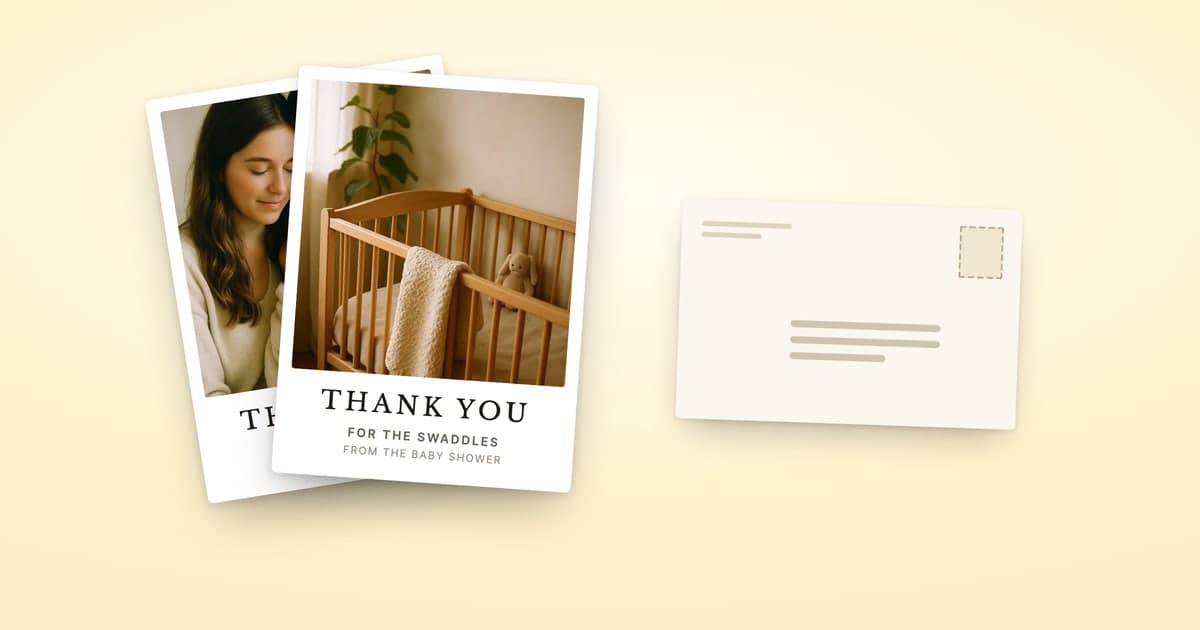
You have a newborn, a registry that says 40-odd gifts were purchased, a pile of wrapping paper nobody labeled, and a mailbox you haven't checked in a week. Writing the notes isn't really the hard part. The hard part is working out who gave what, finding addresses for half of them, and getting the cards out of the house.
This post is about that mailing job. For the words themselves, we keep a separate collection of baby shower thank-you wording for hosts, coworkers, grandparents and cash gifts.
Is a postcard fine for a baby shower thank-you?
Yes. Guests care whether the card names their gift and actually arrives, not whether it came in an envelope. A postcard with the baby's photo on the front and a line about the swaddles on the back does both, and it's the one grandma pins to the fridge.
The one trade-off is that a postcard is open. Keep private details and dollar amounts off it. If you're still weighing printed against handwritten, do thank-you cards have to be handwritten? covers the etiquette.
When should baby shower thank-yous go out?
Sooner is better, and late still beats never. Most guests know a baby arrived in the middle of all this. Our wording guide has the usual timing advice. The realistic plan with a newborn is one sitting during a nap, not a card a night for six weeks.
Step 1: Get the list of who gave what
Almost all of this already exists somewhere. You just have to get it into one place.
Babylist. On the web, the Gift Tracker on your registry's Home page lists every purchased gift. In the app, tap Track Gifts. According to Babylist's help page (checked September 29, 2026), each gift can show the giver's name and email, the item, the retailer and order number, and a mailing address if the giver chose to share it. You can also download a Thank You list from the Gift Tracker, which pulls all of that into one file. One catch: guests can mark a gift as a surprise, and Babylist asks you to reveal those before it shows who bought what. Reveal them first so nobody gets left out. The full walkthrough is in how to send thank-you cards from your Babylist registry.
Amazon and Target. Both have their own who-bought-what view, and neither is laid out like Babylist's. We cover each one step by step: Amazon registry thank-yous and Target registry thank-yous. If gifts came through more than one registry, managing gifts from multiple registries shows how to merge them without missing anyone.
Gifts opened at the shower. These never touch a registry. The host or a friend usually keeps a list during gift opening. Ask for it, or ask for a photo of it.
You don't need to clean any of this up. In ShipNote you paste the page or the file into one box, or upload a CSV, an Excel file or a photo of the list, and it pulls out each person's name, address and gift. Paste the next registry and it's added to the same list, with any duplicates skipped. If someone bought three things, they end up on one card that names all three, and couples and families stay together on one card too.
Step 2: Deal with the missing addresses
Registries only have the addresses guests chose to share, and the in-person gifts come with none. Don't let the last few hold up everyone else.
Keep those guests on the list with just a name. When you press Next: Review, every row still missing an address is flagged, and each one offers "Don't have their address? Request it with a link." Text that link to the guest. They type their own address, it's checked against the postal database on the spot, and you get an email when it comes in.
Then remove those rows, since a row without an address holds up checkout, and mail everyone you can address today. When the stragglers reply, open your order from the confirmation email and choose "Send this same card to more people." The design and message come back as you left them, and nobody from the first order is included, so nobody gets a second card. Don't have everyone's address? walks through the whole approach, including what to text people.
Group gifts and office showers
Registry group gifts. Babylist's group gifting lets several people chip in toward one Babylist Shop item, and you can track each contribution from your Gift Tracker (checked September 29, 2026). Each contributor gave something, so each gets a card. Name the item they helped buy, not the amount.
Cash and gift cards. When a list shows a bare dollar amount, ShipNote writes the gift as "generous gift" or "cash gift" instead of printing the number. A gift card keeps its store name, so the card thanks the guest for that store's gift card rather than a generic "gift".
Office showers. When a whole team pooled for one present, one card to the team at the office is enough, with the team's name in the name field ("The Design Team"). If individual coworkers gave their own gifts, they each get their own card like anyone else. The coworker section of our wording guide has lines that fit someone you mostly know from meetings.
Step 3: Put the baby on the front
The Baby Shower cards start on a photo design. Upload a photo from your phone and the preview updates as you go. If you'd rather show more than one moment, the Collage and Duo designs take two photos, the Triptych and Filmstrip take three, and the Grid takes four. There are also designs that need no photo at all.

Two things to know. First, if you never upload your own photo, the sample photo prints, and the editor tells you so. Second, if your photo is too small to print sharply, you get a warning, but it doesn't stop you. The editor asks for at least 1200×1800 pixels, and a photo straight off a recent phone clears that easily.
Shower before the birth? Plenty of parents wait for the hospital photo and send everything in one batch after the baby arrives. The "who gave what" list keeps just fine.
Step 4: Write one message, and each card names its gift
You write the message once. [RECIPIENT] fills in each guest's name and [GIFT_NAME] fills in their gift, so every card says something specific:
Dear [RECIPIENT], thank you so much for the [GIFT_NAME]. It's already in constant use, and we can't wait for you to meet her. Love, Maya, Sam and baby June
The gift name prints straight after "the", so ShipNote writes it the way a person would say it: "the playard", not the full product title. On the Review step you can open any single card and rewrite its message, which is where the host's note and grandma's longer one go. For more lines to start from, see the wording guide.
What do baby shower thank-you postcards cost?
With ShipNote, the price covers the whole job: the card is printed, addressed and mailed for you, with First-Class postage included. Doing it yourself costs less in money and more in evenings. Here is a 40-card shower, both ways:
| Option | What you still do | Per card, with postage | 40 cards |
|---|---|---|---|
| ShipNote postcards, 10 or more | Paste the list, pick a photo, write one message | $1.99, postage included | $79.60 |
| ShipNote, a follow-up order under 10 cards | Same as above | $2.49, postage included | 5 cards: $12.45 |
| Boxed cards plus stamps | Write, address, stamp, seal and mail every card | $0.98 ($0.16 card + $0.82 stamp) | $39.20 |
The boxed-card figure is a 50-count set of thank-you cards with envelopes at $7.99 on Amazon, checked September 29, 2026, plus the $0.82 First-Class stamp for a one-ounce letter from USPS's July 12, 2026 price list. A postcard stamp on the same list is $0.65, so a card you print and stamp yourself as a postcard saves another 17 cents on postage.
So the real comparison is about $40 against an evening, or three. At about five minutes a card to write, address, stamp and seal (our estimate), 40 cards is over three hours, and it rarely happens in one stretch with a newborn in the house. If you enjoy writing them by hand, that's the cheaper and warmer choice. If the box of blank cards has been on the counter since the shower, $1.99 is the price of getting it done. Cheapest way to mail thank-you cards runs the same numbers for 50 and 100 cards.
The 15-minute version with ShipNote
- Pick Baby Shower on the ShipNote homepage and choose a design.
- Upload the baby photo, or two to four for a collage.
- Write one message using
[RECIPIENT]and[GIFT_NAME]. - Paste your registry list: the Babylist Thank You list, your Amazon or Target page, the host's list. Add each one in turn.
- Press Next: Review. Fix anything flagged, send address-request links to anyone missing and remove their rows for now, and tweak the cards that need a personal line.
- Check out. No account needed. Cards are mailed the next business day and arrive in 4–7 business days.
That's roughly 15 minutes of screen time for a normal shower list, and it works on a phone, so it fits in one nap. Start your baby shower batch and the cards are out of the house by tomorrow.
Frequently asked questions
Is it okay to send postcards for baby shower thank-yous?
Yes. What guests notice is whether the card names their gift and reaches their mailbox, not whether it came in an envelope. A postcard with the baby's photo and one line about the gift does both. The one thing to keep in mind is that a postcard is open, so leave off anything private, including dollar amounts.
How do I find out who gave what at my baby shower?
Start with the registry. Babylist's Gift Tracker lists every gift marked as purchased, with the giver's name and email and their mailing address if they shared it, and you can download a Thank You list from it. For gifts handed over in person, use the list the host kept during gift opening, or a photo of it.
What if I don't have every guest's address?
Mail the cards you can address now and ask for the rest. In ShipNote you can keep a guest on the list with just a name. When you press Next: Review, that row is flagged, and it offers a link you can text to the guest so they type their own address. Then remove those rows so the rest of the batch can go; you get an email when each address arrives.
Do I send a separate card to each person who chipped in on a group gift?
Yes, if you know who they are. Babylist shows group gift contributions in your Gift Tracker, so each contributor can get their own card. For an office shower where the team pooled for one present, one card addressed to the team at the office is enough.
How much do baby shower thank-you postcards cost with ShipNote?
$1.99 a card on orders of 10 or more, and $2.49 a card below that. The price covers printing, addressing, First-Class postage and mailing, and cards are mailed the next business day.
Ready to mail your thank-yous?
First batch ships next business day. From $1.99 per card. No subscription.
Create Your Postcards
![Three thank-you postcards fanned out beside a gift log listing a check, a savings bond and a gift card, above a single template message reading 'Dear [RECIPIENT], thank you so much for the [GIFT_NAME]'](/_next/image?url=%2Fblog%2Fheroes%2Fbar-mitzvah-thank-you-cards-hero.jpg&w=3840&q=75)
![Three thank-you postcards fanned out, each naming a different gift — the Dutch oven, the stand mixer, the garden shears — above a single template message reading 'Dear [RECIPIENT], thank you so much for the [GIFT_NAME]'](/_next/image?url=%2Fblog%2Fheroes%2Fcan-chatgpt-write-your-thank-you-cards-hero.jpg&w=3840&q=75)