
How to Export Your Knot Guest List for Thank-You Cards
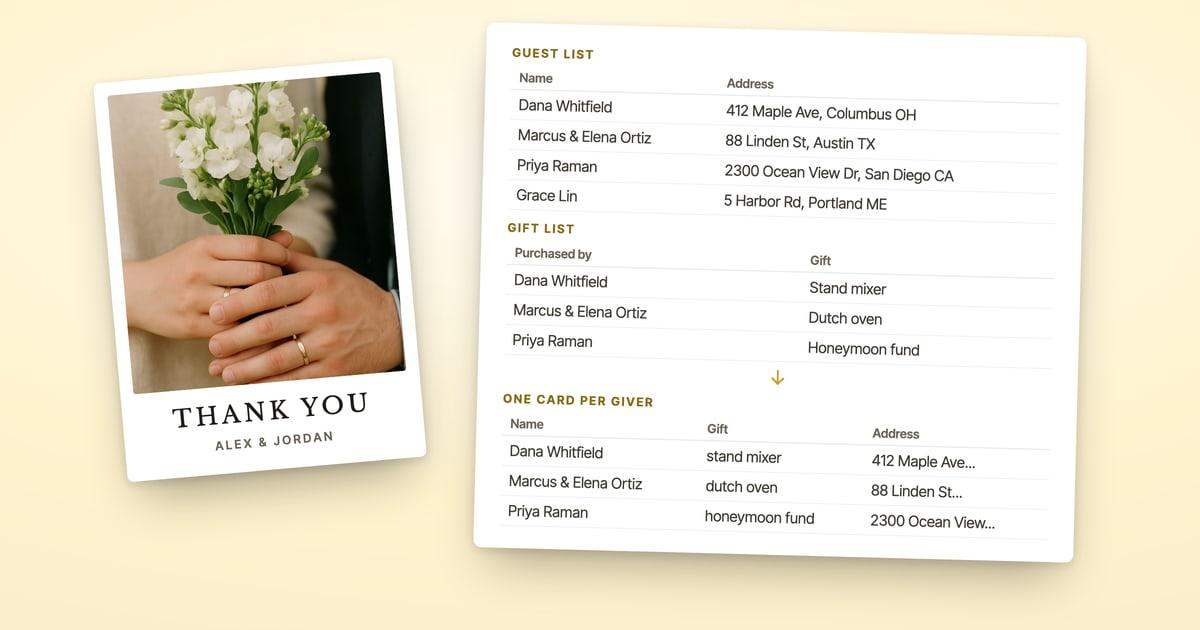
To export your guest list from The Knot, open Guests & RSVPs on theknot.com, click Download List at the top right, and choose the entire list as a table. You get a spreadsheet with each guest's name and the address you collected. For thank-you cards, join it to Track Gifts, which says who gave what but carries no addresses.
Disclosure: ShipNote is our product and it appears below. We read The Knot's guest list guide and its Help Center on November 6, 2026; the buttons and options described are as of that date. The Track Gifts columns are from our own Knot registry walkthrough.
How do you export your guest list from The Knot?
Use the Download List button on your guest list. The Knot's own guide to its Guest List Manager gives the steps:
- Sign in at theknot.com and open Guests & RSVPs.
- Click Download List at the top right of your guest list.
- Choose what to download. For thank-you cards, pick the entire list as a table.
The file opens in Excel, Numbers or Google Sheets. Text My Wedding's import guide, which walks couples through moving a Knot list into its own service, tells them to do this "on a desktop computer," so if the button isn't where you expect in the app, switch to a laptop.
The Knot's Help Center has no article of its own on exporting: the first page of its 65 results for "export guest list" covers adding, importing and removing guests. That's why most answers to this question are forum threads.
Which download option should you choose?
The entire list as a table, because it's the only one with everything a card needs. Download List offers three files, and each is built for a different job.
| Download option | What it's for | Use it for thank-yous? |
|---|---|---|
| Entire list as a table | Every guest and the details you entered, addresses included | Yes. It has the addresses |
| Address labels | Printing envelope labels | Only if you're addressing envelopes yourself |
| RSVP responses | The final headcount for your venue and caterer | No addresses you need; useful for who came |
The table is only as complete as your guest list. If you used The Knot's address collection form, the addresses guests typed in are already there. If you added some guests by name only, those rows come out blank, and you'll fill them in later (see missing addresses).
Why doesn't the gift list have addresses?
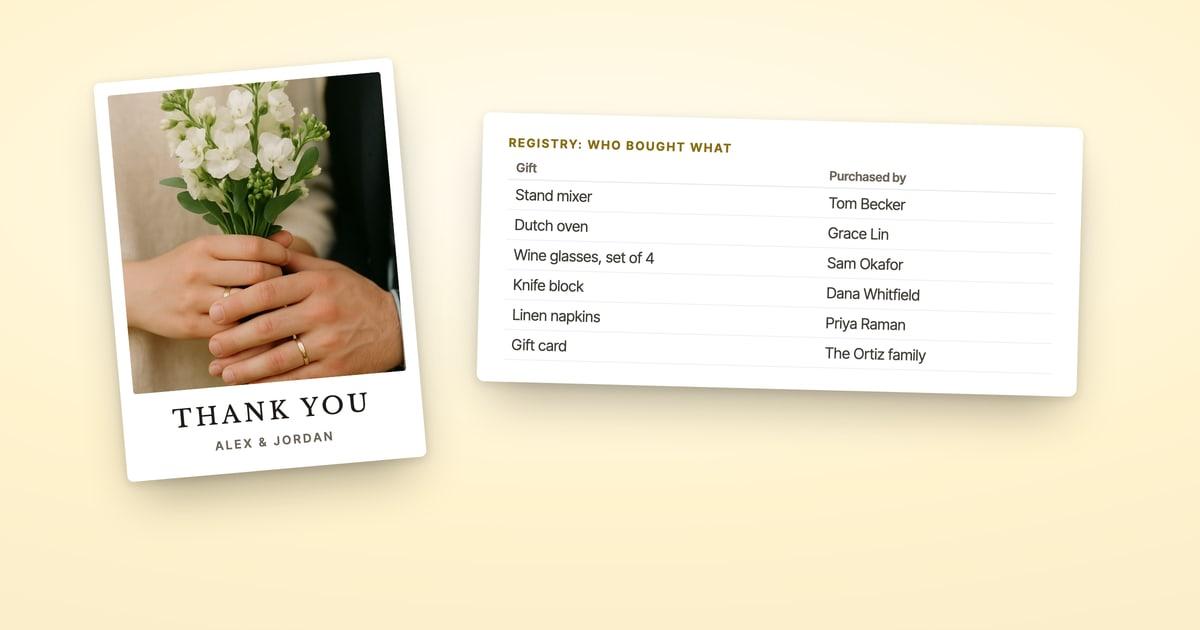
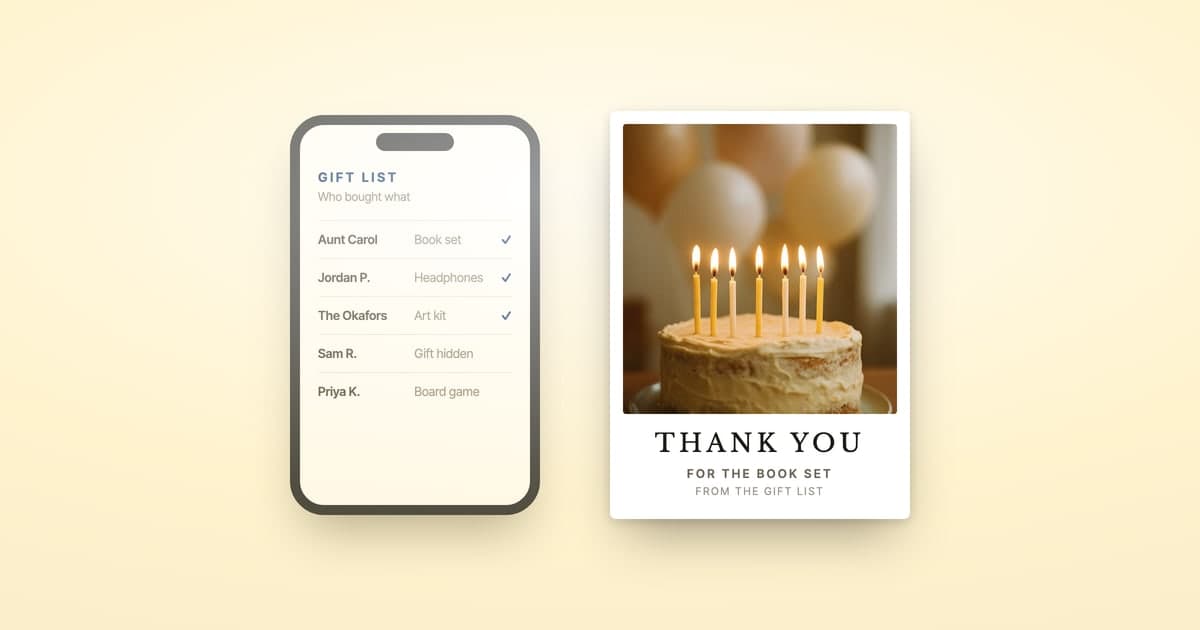
Because The Knot keeps gifts and addresses in two separate tools. Track Gifts, on the Registry tab, is the record of who bought what: who purchased each gift, what it was, its order status and the date. There's no address on it, so a thank-you list starts from two files: the gift list says who to thank and for what, and the guest list says where to mail it. We compared how The Knot and Zola handle this in Zola vs The Knot; Zola puts the address in the gift export, The Knot doesn't.
Joining them is the one fiddly step. The gift list says "Marcus and Elena Ortiz" on one row; the guest list may have Marcus and Elena on two rows. Some givers spelled their name differently at checkout. And most guests on a guest list didn't buy from the registry, so their rows shouldn't become cards.
How do you match the two lists?
Join them in one spreadsheet, then paste the result once. It takes a few minutes and gets you a list of givers only, each with an address.
- Open the guest list download and the Track Gifts download in the same spreadsheet, on two tabs.
- On the gift tab, add an Address column beside each gift.
- Fill it from the guest list, with a lookup on the giver's name (XLOOKUP or VLOOKUP in Excel or Google Sheets) or by hand. Check couples, shared last names and anyone who goes by a different name by eye.
- Copy the gift tab, with the name, gift and address on each row, and paste it into ShipNote's list box.
Paste the joined gift tab, not the two raw downloads. The guest list on its own is a mailing list, and every guest on it would become a card, gift or no gift. Every row appears on screen before anything prints, so check the count against your number of givers before you pay (a giver with two gifts gets one card).
What if a guest's address is missing?
Leave the address blank and request it with a link. When you press Next: Review, any row without an address is flagged and offers "Don't have their address? Request it with a link." Send each link before you pay: that card leaves this order, the guest types their own address, it's checked against USPS records, and ShipNote emails you a button that starts their card. The rest of the batch mails without waiting.
Our guide to sending thank-you cards when you don't have every address covers the other routes, and where registries hide gift-givers' addresses covers what each registry shares.
What about gifts The Knot doesn't show?
Some gifts never reach Track Gifts, and some reach it without a name, so check for both before you join the lists.
- Williams Sonoma, Pottery Barn and West Elm. These registries stopped syncing with The Knot on May 21, 2025, and The Knot's Help Center says their items "will no longer appear on The Knot Registry gift tracker." If you registered there, the givers are in Williams Sonoma's own registry; our Williams Sonoma registry thank-you guide shows where.
- Partner-store gifts with no name. Gifts from The Knot's partner stores, such as Crate & Barrel, Target or Amazon, show the gift and date but not the giver. Click through to the store's purchaser view and type each name into the Track Gifts file before you join it.
Gifts that came by mail with a card, or handed over at the reception, aren't on any list. Add those givers to the gift tab yourself, with their address from the guest list.
How do you send the thank-you cards once the list is ready?
Pick a card, write one message, and ShipNote prints, stamps and mails every card. The full Knot walkthrough, from the card design to the message, is in how to send thank-you cards from The Knot registry. The short version:
- Choose a wedding thank-you postcard and add your photo.
- Write one message with the guest's name and gift filled in on each card: "Dear Dana, thank you for the stand mixer."
- Paste the joined gift list, as above, and check each row.
- Pay. The cards mail as soon as possible, or on a day you pick at checkout.
It's $1.99 a card on 10 or more, postage included, and each card is a 4x6 postcard with First-Class postage, addressed from your list. Cards arrive in 4–7 business days after they mail.
$1.99 a card on 10 or more, printed, stamped and mailed for you.
Frequently asked questions
How do you export your guest list from The Knot?
Sign in, open Guests & RSVPs, and click Download List at the top right of your guest list. Choose the entire list as a table to get every guest and the details you entered, addresses included, in one file. The other two options are address labels and a table of RSVP responses.
Does The Knot's Track Gifts download include addresses?
No. Track Gifts shows who bought each gift, what it was, its order status and the date, with no mailing address. The addresses live in your Guest List Manager, so a thank-you list needs both downloads.
How do you match The Knot gift list to the guest list?
Open both downloads in one spreadsheet, add a column beside each gift for the giver's address, and fill it from the guest list, with a lookup formula or by hand. Then paste that one sheet, givers only, into ShipNote, which prints, stamps and mails a card for every giver.
Can you export The Knot guest list from the app?
The Knot's guide describes the Download List button on the guest list page, and Text My Wedding's import guide tells you to do it on a desktop computer. If you can't find the button in the app, sign in at theknot.com on a computer instead.
Related reading
Ready to mail your thank-yous?
First batch ships next business day. From $1.99 per card. No subscription.
Create Your Postcards