
Amazon Wish List Thank You Notes: Who Bought, How to Send
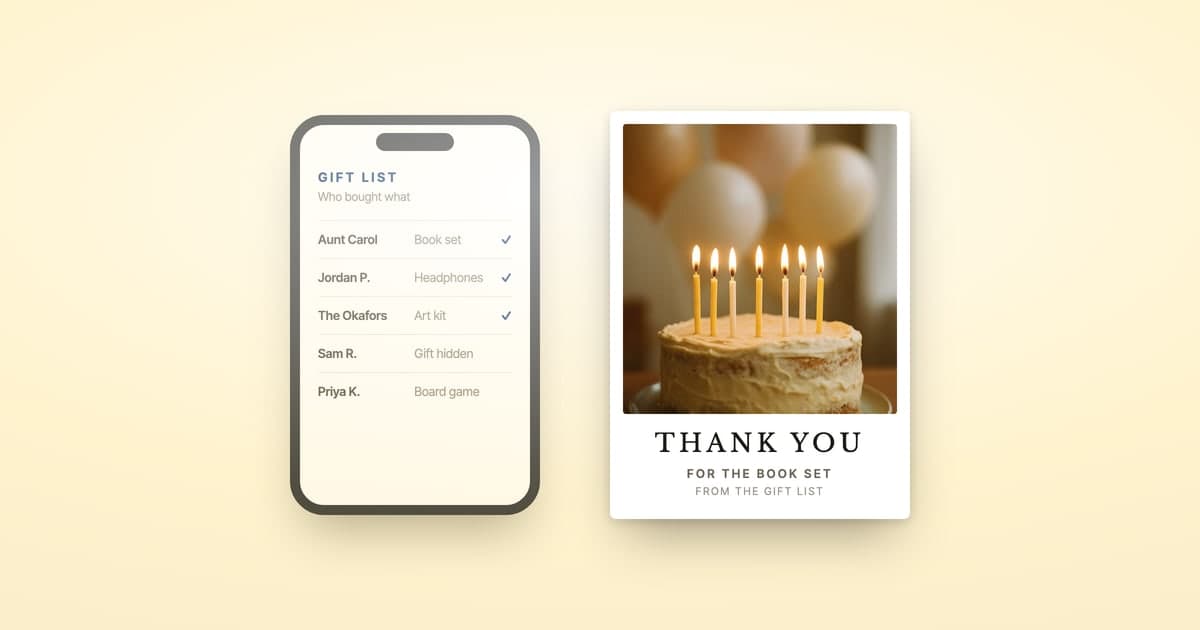
Amazon won't send the thank-you note for you, but if the gifts came through an Amazon Gift List, it does tell you who bought each one. Go to Your Registries and Gift Lists and select Thank You & Returns. Each gift bought through the list shows the giver's name, and their address if they chose to share it.
A plain wish list works differently, and Amazon's help promises far less for it.
Disclosure: ShipNote is our product. Amazon's gift list features were checked against its own help pages on September 14, 2026.
Jump to:
Is an Amazon wish list the same as a Gift List?
No, and the difference decides whether Amazon tells you who bought. A wish list lives under Account & Lists, in Your Lists. A Gift List lives under Your Registries and Gift Lists, alongside Amazon's wedding and baby registries. Amazon's help documents a Thank You & Returns list for Gift Lists, and nothing like it for wish lists.
| Wish list | Gift List | |
|---|---|---|
| Where it lives | Account & Lists, then Your Lists | Your Registries and Gift Lists |
| Record of who bought | None in Amazon's help | Thank You & Returns, created automatically |
| Giver's name | Only if they add it to the gift | Shown for each gift |
| Giver's address | Not mentioned | Shown if they opted to share it |
If yours is an Amazon wedding or baby registry, our Amazon registry walkthrough covers that version. This guide covers the other two, the lists people make for birthdays, classrooms, shelters and baby gifts. For a child's party, birthday thank-you cards has wording for party guests and first birthdays.
Where do you find who bought from your Amazon Gift List?
In Thank You & Returns. Amazon creates that list automatically for items bought from your Gift List: "That way, we let you know who purchased each gift." Visit Your Registries and Gift Lists, then select Thank You & Returns.
Each gift shows:
- The giver's name. Without a shared address, Amazon says "only the name on the gift giver will be shared."
- Their address, sometimes. It appears only "if gift-givers opted to share their address with the registry owner."
- The item and the date, unless Keep it a Surprise is on. Then you see "only the gift-giver details and the date of purchase," so you can thank someone without knowing what was in the box.
Amazon's Thank You List help, written for its baby registry, adds an "Already thanked your gifters?" checkbox under each item's More details. Ticking it sends nothing: the list "cannot be used to send an electronic thank you note to a gift giver."
What does Amazon tell you about the giver, and what stays private?
On a Gift List, you get the giver's name, and their address only if they opted to share it. On a wish list, Amazon's help describes no record of buyers at all. Privacy runs the other way too: Amazon says people buying from your Wish List see only your name, city and state, and it hides your street address.
On a wish list, a purchased item "will be moved to the purchased section" of your list, per Amazon's help on buying from a List. With Don't spoil my surprises on, which is the default, "your gift purchases will remain a secret for several weeks," and the item keeps showing as Unpurchased (surprise settings). None of Amazon's wish list help pages mention showing you who bought it.
The one route to a name that Amazon's help describes is the gift itself. On items fulfilled by Amazon or selected sellers, a buyer who marks the order as a gift can "include the name of the gift giver and a personal message with the order," and the gift message appears on the packing slip (gift orders). Otherwise, Amazon's help offers no other way to learn who sent it, so keep the packing slips.
How do you turn Amazon's list into mailed thank-you cards?
Write one message in ShipNote, then paste the list in. We read the names, gifts and addresses out of the paste, and we print, stamp and mail a postcard to every giver with an address. It's $2.49 a card, or $1.99 each at 10 or more, with First-Class postage included.
ShipNote is the step Amazon leaves out. Paste a copied Thank You & Returns page, purchase emails or a spreadsheet of packing-slip names, and its AI pulls out who gave what and where to mail it. No account needed.
- Copy your list. In Thank You & Returns, scroll to the bottom so every gift loads, then select the page and copy it. For a wish list, copy your packing-slip notes.
- Pick an occasion and a card: birthday, baby shower, wedding, graduation, or Just Thanks.
- Write one message. Put
[RECIPIENT]where the name goes and[GIFT_NAME]where the gift goes. The paste already knows who gave what, so each card names that person and their gift, and any card can be edited on its own. - Paste the list into ShipNote, which reads out the names, gifts and addresses, then press Next: Review. Any row still missing an address is flagged right there on the list, and a flagged row offers "Don't have their address? Request it with a link."
- Review and check out. Cards are mailed the next business day and arrive in 4–7 business days. US addresses only.

A giver without an address doesn't have to stall the batch. Our guide to gift-giver addresses explains the request link, and sending the cards you can address today covers mailing in two waves. Need words? Borrow from our baby shower thank-you wording.

How should teachers and nonprofits thank a wish list's donors?
Mail a real card to every donor you can name and reach, and thank the rest publicly. Classroom and shelter lists are usually plain wish lists shared with strangers, so the names come from packing slips, not Thank You & Returns. Log each box as it arrives, then send one batch.
- Treat addresses as the hard part. A stranger who bought from a public list is a name, not an address. If a donor emailed or messaged you, add them and send the request link from their flagged row; otherwise, thank them publicly.
- Write for a stranger, and keep it postcard-safe. "Thank you for the
[GIFT_NAME], it's already on our shelf" beats a paragraph of gratitude. A postcard is open mail, so sign from the class or organization and leave students' and clients' names off. - Pick Just Thanks, then edit the standouts. Every card fills in from one message, but the donor who funded the whole reading corner can get an extra line.
When the donors come from your own records instead, a database export or a fundraiser's spreadsheet, see donor thank-you cards for mailing a logo card to the whole list in one batch.
Frequently asked questions
Can you send a thank-you note through an Amazon wish list?
No. Amazon's Gift List help opens with "Send a Thank You note from your Gift List," but its steps lead only to the Thank You & Returns list, and its Thank You List page says that list "cannot be used to send an electronic thank you note to a gift giver." The note is yours to send.
Does an Amazon wish list tell you who bought what?
Not the way a Gift List does. Amazon's help documents a list of givers for Gift Lists and registries, not wish lists. A wish list purchase moves to the purchased section, hidden from you for several weeks by default. The one route to a name Amazon's help describes is the buyer's own gift message.
Does Amazon give you the gift giver's address?
Only when the giver agrees to it. On a Gift List, Amazon says an address appears in Thank You & Returns when gift-givers "opted to share their address with the registry owner"; otherwise you get the name alone. Amazon's wish list help doesn't mention sharing a buyer's address at all.
What if an Amazon gift arrived with no name on it?
If it came from a Gift List, check Thank You & Returns first; the giver's name is there whatever the slip shows. Otherwise, check the packing slip: Amazon's gift options let a buyer include their name and a message, on items fulfilled by Amazon or selected sellers. A blank slip may mean no name was added, or a seller without gift options. Thank those donors publicly where you shared the list.
How much does it cost to mail thank-you cards to every giver?
With ShipNote, $2.49 a card, or $1.99 each at 10 or more, with First-Class postage included and no account needed. Write one message, paste the list, and every card is printed, stamped and mailed the next business day, arriving in 4–7 business days. US addresses only.
Paste your list into ShipNote, and every giver with an address gets a real postcard.
Ready to mail your thank-yous?
First batch ships next business day. From $1.99 per card. No subscription.
Create Your Postcards